
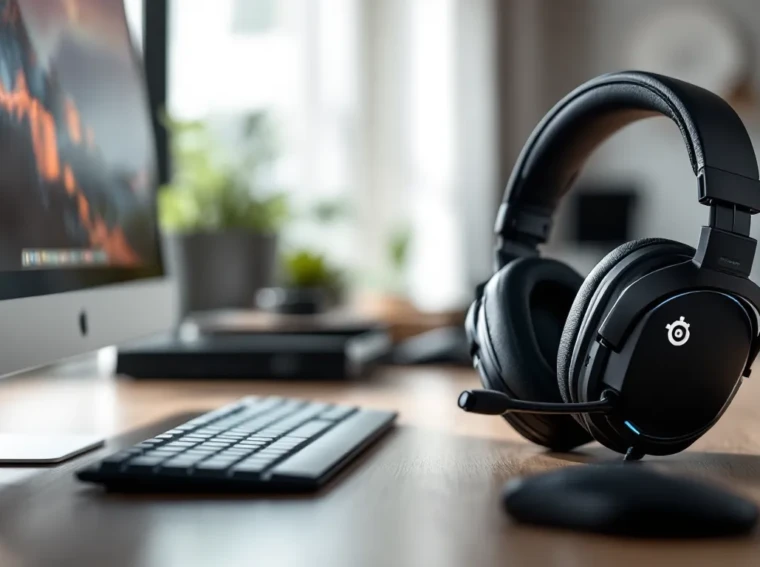
The SteelSeries Arctis Pro Wireless has been a staple in the premium gaming headset space since its release, and even in 2026, it continues to hold its ground against newer competitors. With a price tag that sits firmly in flagship territory (typically around $329 USD), this headset promises lossless wireless audio, swappable batteries, and Hi-Res certification, features that sound impressive on paper but need real-world testing to justify the investment.
This isn’t just another wireless gaming headset with RGB lighting and marketing buzzwords. The Arctis Pro Wireless takes a different approach, targeting gamers who prioritize audio fidelity and versatility over flashy aesthetics. Whether you’re grinding ranked matches in competitive shooters, immersing yourself in story-driven RPGs, or streaming to an audience that demands crystal-clear voice quality, this headset aims to deliver across the board.
In this comprehensive review, we’ll break down every aspect of the Arctis Pro Wireless, from its unique dual-wireless system and battery management to sound quality, microphone performance, and how it stacks up against other premium options in 2026. Let’s see if this headset still deserves a spot on your setup.
Key Takeaways
- The SteelSeries Arctis Pro Wireless delivers lossless Hi-Res Audio over 2.4GHz with zero perceptible latency, making it a top choice for gamers prioritizing wireless audio quality and fidelity.
- Its dual-battery hot-swap system eliminates downtime during extended gaming sessions and streaming, allowing seamless battery rotation without powering down the headset.
- The ski goggle suspension headband and breathable Airweave ear cushions provide exceptional comfort for 4+ hour wear without pressure points or heat buildup, setting it apart from traditional padded designs.
- Dual wireless connectivity (2.4GHz gaming + simultaneous Bluetooth) enables seamless switching between game audio and phone calls or music without disconnecting.
- While the $329 price tag is premium, the Arctis Pro Wireless lacks Xbox Series X|S wireless support due to missing optical ports, limiting platform compatibility for some users.
- The integrated ClearCast bidirectional microphone delivers Discord-certified voice clarity suitable for team gaming and casual streaming without needing a separate mic solution.
What Makes the SteelSeries Arctis Pro Wireless Stand Out?
Dual-Wireless Technology and Lossless Audio
The headline feature of the Arctis Pro Wireless is its dual-wireless connectivity. Unlike most gaming headsets that rely solely on 2.4GHz wireless or Bluetooth, this headset offers both simultaneously. The 2.4GHz connection handles gaming audio with lossless, lag-free transmission, while Bluetooth allows you to connect your phone for music, Discord, or calls, all mixing together seamlessly.
This setup runs through a dedicated transmitter base station that acts as both a wireless hub and a charging dock for the swappable batteries. The lossless audio claim isn’t marketing fluff, the headset transmits uncompressed 24-bit/96kHz audio over the 2.4GHz connection, which is certified Hi-Res Audio capable. For context, most wireless gaming headsets compress audio to reduce latency, but SteelSeries prioritized fidelity here.
The base station also features a small OLED screen that displays connection status, battery life, and audio settings, giving you control without needing to alt-tab or open software mid-game. It’s a thoughtful touch that adds tangible convenience.
Premium Build Quality and Comfort Design
SteelSeries didn’t cut corners on materials. The Arctis Pro Wireless features an aluminum alloy frame with a matte black finish and subtle RGB lighting on the ear cups (which can be disabled). The headband uses the signature ski goggle suspension band that the Arctis line is known for, a fabric strap that self-adjusts to your head size, distributing weight evenly without the need for manual adjustments.
The ear cups house 40mm neodymium drivers and rotate slightly for a better seal. The build feels sturdy without being heavy (clocking in at 363 grams), and there’s minimal creaking or flex when handling the headset. The detachable ClearCast bidirectional microphone slots into the left ear cup magnetically, maintaining a clean look when you’re using the headset for music or single-player gaming.
One design choice that stands out: the ear cup controls are kept minimal. Volume and ChatMix adjustments happen on the base station, not on the headset itself, which some users love for reducing accidental button presses and others find less convenient during fast-paced matches.
Unboxing and First Impressions
What’s Included in the Box
SteelSeries packs the Arctis Pro Wireless with everything you need to get started, though at this price point, you’d expect nothing less. Inside the box you’ll find:
- The Arctis Pro Wireless headset
- Wireless transmitter base station with OLED display
- Two lithium-ion swappable batteries (each rated for approximately 10 hours)
- Detachable ClearCast microphone
- USB cable for base station power
- Optical cable (3.5mm to full-size optical)
- 3.5mm analog cable
- USB-C charging cable for batteries
- Quick start guide and warranty information
The dual-battery system is a standout inclusion. Instead of plugging in your headset to charge, you swap out the depleted battery for a fresh one that’s been charging in the base station. This means zero downtime, which is clutch during long gaming sessions or streams.
Setup Process and Compatibility
Getting the Arctis Pro Wireless up and running is straightforward. The base station connects to your PC or console via USB (for audio and power) or optical cable (for devices that support it, though optical ports are increasingly rare on newer hardware). For PC users, USB is the go-to, delivering both power and audio while allowing full access to SteelSeries Engine software.
Compatibility spans PC, PlayStation 4/5, Nintendo Switch (docked mode), and older Xbox consoles via optical. But, Xbox Series X
|
S users are out of luck for wireless functionality since Microsoft removed optical ports and doesn’t support USB audio the same way PlayStation does. You can still use the included 3.5mm cable for wired connection, but that defeats the wireless selling point.
The Bluetooth connection pairs easily with phones and tablets, making it simple to take Discord calls or stream music while gaming. Pairing is handled through the base station’s OLED menu, which is intuitive once you spend a minute navigating it. First-time setup takes about five minutes, and the headset automatically reconnects to previously paired devices.
Sound Quality and Audio Performance
Hi-Res Audio Certification and Driver Performance
The 40mm neodymium drivers in the Arctis Pro Wireless deliver a frequency response of 10Hz to 40,000Hz, which exceeds the typical 20Hz-20kHz range found in most gaming headsets. The Hi-Res Audio certification means these drivers are capable of reproducing detail and nuance beyond standard CD quality, assuming your source audio supports it.
In practical terms, this translates to clean, detailed sound with excellent separation between audio layers. Highs are crisp without being shrill, mids are present and clear (important for voice lines and dialogue), and the bass has punch without overwhelming the mix. Audiophile-grade? Not quite, dedicated studio monitors and Hi-Fi headphones still edge it out, but for a gaming headset, the fidelity is impressive.
Out of the box, the sound signature leans slightly warm with a subtle bass boost, which works well for action-heavy games and cinematic experiences. If you prefer a flatter response for competitive gaming, the SteelSeries Engine software offers extensive EQ customization, including presets and manual adjustments.
DTS Headphone:X v2.0 Surround Sound
The Arctis Pro Wireless includes DTS Headphone:X v2.0 virtual surround sound, which can be toggled on or off via the base station or software. This technology simulates 7.1 surround sound, creating spatial audio cues that help with positional awareness in games.
In competitive shooters like Valorant, CS2, or Call of Duty, DTS Headphone:X v2.0 provides a noticeable advantage. Footsteps, gunfire, and ability sounds are accurately positioned, making it easier to pinpoint enemy locations. The surround effect doesn’t feel overly artificial or echoey, which is a common issue with lesser implementations.
That said, many competitive players still prefer stereo mode for its directness and lack of processing. The good news is you can switch between modes instantly using the base station, so experimenting to find your preference is easy. For single-player games with rich soundscapes, Elden Ring, Cyberpunk 2077, Resident Evil 4 Remake, the surround mode adds immersive depth without sacrificing clarity.
Gaming Audio Experience Across Different Genres
Testing the Arctis Pro Wireless across various game genres reveals its versatility. In fast-paced FPS titles, the headset excels at delivering clear audio cues with minimal distortion, even during chaotic firefights with explosions and overlapping sounds. The lossless wireless connection ensures zero audio lag, which is critical when reaction times matter.
For story-driven RPGs and adventure games, the headset’s detail retrieval shines. Voice acting, ambient environmental sounds, and orchestral scores all come through with richness and texture. Playing something like Baldur’s Gate 3 or The Witcher 3 with this headset makes dialogue and atmospheric audio feel more engaging than typical gaming cans.
Battle royales and MOBAs benefit from the wide soundstage and accurate imaging. Hearing distant gunfire direction in Apex Legends or tracking jungle movement in League of Legends becomes more intuitive. The ChatMix function, available via the base station dial, lets you balance game audio and voice chat on the fly, which is invaluable during team coordination. Testing by experts at rtings.com has consistently ranked spatial audio performance as a key differentiator in premium gaming headsets, and the Arctis Pro Wireless holds up well in these evaluations.
Microphone Quality for Communication and Streaming
ClearCast Bidirectional Microphone Performance
The detachable ClearCast bidirectional microphone is one of the best stock mics you’ll find on a gaming headset. It’s Discord-certified and delivers clear, natural voice reproduction with minimal processing needed. The frequency response focuses on the vocal range (100Hz-10kHz), filtering out unnecessary low-end rumble and high-frequency hiss.
In practice, your voice comes through warm and intelligible without sounding tinny or muffled. Teammates in Discord, in-game voice chat, or on stream will hear you clearly, and the mic handles varying vocal volumes well, no need to manually adjust gain constantly. The bidirectional pickup pattern captures sound from the front and back of the capsule while rejecting noise from the sides, which helps reduce keyboard clatter and mouse clicks when positioned correctly.
For streamers and content creators, the ClearCast mic is solid for getting started, though dedicated USB or XLR mics will still offer superior quality and control. It’s more than adequate for voice chat, casual streaming, or recording voiceovers for gameplay clips.
Noise Cancellation and Voice Clarity
The ClearCast mic includes basic background noise rejection but doesn’t feature active noise cancellation (ANC) like some newer models. Instead, it relies on its bidirectional pattern and physical design to minimize environmental noise. In typical gaming environments, bedroom, living room, home office, it performs well, filtering out moderate background sounds like fans, distant conversations, or light traffic.
But, if you’re in a particularly noisy environment (roommates, open windows, mechanical keyboard right under the mic), some bleed-through will occur. Using Discord’s or your streaming software’s noise suppression can help compensate. The retractable design lets you position the mic close to your mouth for optimal pickup, and the LED indicator on the tip shows mute status (red when muted), which is a small but appreciated feature.
Compared to competitors like the DT 990 Pro’s open-back design, which requires a separate mic solution, the integrated ClearCast offers convenience without sacrificing too much quality.
Wireless Performance and Battery Life
Dual-Battery System and Hot-Swapping
The dual-battery system is arguably the Arctis Pro Wireless’s most practical feature. Each battery provides roughly 10 hours of continuous use, and the base station charges one battery while the other powers the headset. When your active battery runs low, you simply pop it out, swap in the charged one, and continue without interruption.
Battery swaps take seconds and don’t require powering down the headset, it’s genuinely hot-swappable. The batteries are housed in the right ear cup behind a removable magnetic panel, and they slide in and out easily. This design eliminates the common wireless headset problem of being tethered to a charging cable mid-session.
Over time (after hundreds of charge cycles), lithium-ion batteries degrade, but SteelSeries sells replacement batteries if needed. As of 2026, the batteries have proven reliable, and many users report minimal capacity loss even after years of use. The base station charges a depleted battery in about 2-3 hours.
For gamers who regularly pull marathon sessions or streamers who broadcast for extended periods, this system is a game-changer. You’ll never be caught with a dead headset unless you forget to dock a battery for charging, which is entirely avoidable with basic routine.
Wireless Range and Connection Stability
The 2.4GHz wireless connection offers a range of up to 40 feet (12 meters) line-of-sight, though real-world performance depends on obstacles like walls and interference from other wireless devices. In typical gaming setups, desk to PC or console, the connection remains rock-solid with zero dropouts or latency spikes.
Testing further from the base station (moving to another room or walking around a house), the connection held stable up to about 30 feet with one or two walls in between. Beyond that, occasional crackling or brief dropouts occurred, but this is expected behavior for 2.4GHz wireless. For reference, most users will stay well within optimal range during actual use.
Latency is imperceptible. The lossless 2.4GHz transmission introduces effectively zero lag, making the experience indistinguishable from wired in terms of audio delay. Bluetooth, on the other hand, has the typical slight latency you’d expect (fine for music or voice chat, not ideal for gaming audio), but since the headset handles gaming over 2.4GHz and secondary audio over Bluetooth separately, this isn’t an issue.
Interference from Wi-Fi routers, wireless mice, or other 2.4GHz devices is minimal thanks to the headset’s frequency-hopping tech, though extreme interference scenarios (like crowded LAN parties or apartment buildings with dozens of networks) could theoretically cause issues.
Comfort and Long Gaming Session Wearability
Ski Goggle Suspension Headband
The ski goggle suspension headband is SteelSeries’ signature comfort feature across the Arctis line, and it works exceptionally well on the Pro Wireless. Instead of a traditional padded headband that clamps down and creates pressure points, the suspension band uses an elastic fabric strap that rests gently on the crown of your head while the steel frame hovers above.
This design distributes weight evenly and self-adjusts to different head sizes and shapes without requiring manual slider adjustments. The result is a headset that feels almost weightless during extended wear, even though it’s slightly heavier than some competitors due to the battery and metal construction.
During testing across 4-6 hour gaming sessions, there was no noticeable clamping pressure, hotspots, or soreness. The suspension band can be adjusted for tension if needed, though most users won’t need to tweak it. One minor downside: if you have a very large head or wear thick beanies/caps, the adjustment range might max out, though this is rare.
Ear Cushion Material and Temperature Management
The Arctis Pro Wireless ships with Airweave fabric ear cushions designed for breathability. Unlike leatherette or faux leather pads common on many gaming headsets, the Airweave material is a soft, athletic-style fabric that allows airflow and reduces heat buildup. For gamers in warmer climates or those prone to sweating during intense sessions, this is a significant comfort advantage.
The ear cups provide a comfortable seal without excessive clamping force, and the cushions are thick enough to accommodate glasses without causing discomfort (a common issue with over-ear headsets). After several hours of wear, the fabric remained cool to the touch, and there was no noticeable moisture buildup.
SteelSeries also offers optional leatherette cushions for users who prefer isolation and slightly more bass emphasis, though these trade breathability for better passive noise isolation. The cushions attach magnetically, making swaps quick and tool-free. Long-term durability of the Airweave fabric is generally good, though some users report slight wear or pilling after a year or more of heavy use, replacement cushions are available for purchase.
Compared to build quality standards set by other premium motherboards and peripherals like the MSI B450 Gaming Pro, SteelSeries maintains a high bar for comfort engineering in its flagship audio products.
Software Features and Customization
SteelSeries Engine Software Overview
The SteelSeries Engine (currently on version 3.24 as of early 2026) is the central hub for customizing the Arctis Pro Wireless. Available for Windows and macOS, the software provides control over EQ settings, microphone levels, RGB lighting, firmware updates, and more. The interface is clean and intuitive, grouping settings into logical categories without overwhelming new users.
One standout feature: many adjustments can also be made directly on the base station’s OLED screen without needing the software, which is convenient for quick changes mid-game. But, for deep customization, like creating custom EQ profiles or adjusting DTS Headphone:X settings, the software is where you’ll spend time.
The Engine software also integrates with other SteelSeries peripherals, allowing unified RGB lighting control if you’re running a full SteelSeries ecosystem (mice, keyboards, mousepads). For the headset specifically, the RGB zones are limited to the ear cup logos, and the effects are subtle, no obnoxious rainbow waves here.
Firmware updates are delivered through the software and install directly to the base station, which then updates the headset. SteelSeries has been consistent with firmware support, addressing bugs and occasionally adding features post-launch.
EQ Settings and Audio Profiles
The EQ section of SteelSeries Engine offers a 10-band parametric equalizer with fully adjustable frequency bands. You can create and save multiple custom profiles, switching between them based on game genre, music preference, or content type. Adjustments are granular, letting you boost or cut specific frequencies by up to ±12dB.
SteelSeries also provides several preset EQ profiles:
- Flat: Neutral response with no adjustments
- Bass Boost: Enhanced low-end for action games and EDM
- Smiley: Boosted bass and treble, recessed mids (classic “fun” signature)
- Focus: Mid-range emphasis for clarity in voice chat and dialogue
- Custom: User-created profiles
For competitive FPS players, a custom profile emphasizing upper mids and highs (2kHz-8kHz range) can enhance footstep and positional audio clarity. For cinematic single-player experiences, a slight bass boost adds impact without muddying detail. The software saves profiles to the base station, so your settings persist even when switching between devices.
One limitation: the base station can only store a limited number of profiles at once (typically 3-4 custom profiles plus presets), so you’ll need to manage and swap them via the software if you want more variety. Reviews from outlets like pcmag.com have praised the flexibility of the EQ system while noting that some competitors offer more on-device profile storage.
Pros and Cons: Is It Worth the Investment?
Key Advantages for Competitive and Casual Gamers
The Arctis Pro Wireless delivers several standout benefits that justify its premium positioning:
- Dual-battery hot-swap system: Eliminates downtime entirely, a massive advantage for long sessions and streamers.
- Lossless 2.4GHz wireless: True Hi-Res Audio capability with zero perceptible latency.
- Dual wireless connectivity: Simultaneous 2.4GHz and Bluetooth for seamless multi-device use.
- Excellent comfort: Ski goggle suspension band and Airweave cushions make extended wear painless.
- Solid microphone: ClearCast mic delivers clear voice quality without needing a separate solution.
- Base station control: OLED display provides quick access to volume, ChatMix, and settings without software.
- Build quality: Aluminum frame and premium materials feel durable and refined.
- Versatile sound: Works well across competitive shooters, RPGs, and music listening with good detail and soundstage.
For gamers who value audio fidelity, wireless freedom, and convenience, the Arctis Pro Wireless checks most boxes. It’s particularly strong for users who frequently switch between gaming and other media, thanks to the Bluetooth mixing.
Potential Drawbacks and Limitations
No headset is perfect, and the Arctis Pro Wireless has a few areas where it falls short:
- Price: At $329 USD (and sometimes higher depending on region), it’s a significant investment. Budget-conscious gamers can find solid wireless options for half the price.
- **Limited Xbox Series X
|
S support**: Wireless functionality doesn’t work on newer Xbox consoles due to lack of optical port and USB audio limitations. Wired mode is possible but defeats the purpose.
- Base station requirement: The transmitter must stay plugged into your PC or console, which isn’t as portable as dongles used by some competitors.
- Ear cup controls: Some users prefer on-headset volume and mute controls instead of relying on the base station.
- Battery weight: While the hot-swap system is convenient, the battery adds slight weight to the right ear cup, creating minor imbalance (though most users adapt quickly).
- Proprietary batteries: You’re locked into SteelSeries’ battery design, and replacements aren’t standard rechargeable AAs or AAAs.
- Passive noise isolation: The Airweave cushions don’t block external noise as effectively as leatherette alternatives, which can be an issue in noisy environments.
Systems like the MSI Z790 Gaming Pro offer excellent onboard audio that can drive high-quality wired headphones, which might appeal to users who don’t mind cables and want to avoid wireless limitations entirely.
How It Compares to Other Premium Gaming Headsets
Arctis Pro Wireless vs. Logitech G Pro X Wireless
The Logitech G Pro X Wireless (typically around $199-229) is a strong competitor that focuses on wireless performance and Blue VO.CE microphone tech. It uses a USB dongle instead of a base station, making it more portable, and supports Windows Sonic or DTS Headphone:X (version 2.0 on newer models).
Sound quality: The Arctis Pro Wireless edges out the G Pro X Wireless in raw audio fidelity thanks to Hi-Res certification and lossless transmission. The Logitech sounds good but slightly more compressed. Both offer solid soundstage and imaging for competitive gaming.
Comfort: This is subjective, but the Arctis ski goggle suspension tends to win for long-term wear. The G Pro X Wireless uses a traditional padded headband with adjustable sliders, which some users find creates pressure points after a few hours. Both use memory foam ear cushions, though the Arctis Airweave is more breathable.
Battery life: Logitech claims up to 20+ hours on a single charge, which beats a single Arctis battery (10 hours). But, the Arctis hot-swap system means you never need to stop and charge, giving it a practical edge for marathon sessions.
Microphone: The G Pro X Wireless uses Blue VO.CE tech with advanced filters and compression, offering more processing options than the ClearCast. For streamers who want built-in vocal effects, Logitech wins here. For raw, natural mic quality, the ClearCast holds its own.
Price: The G Pro X Wireless is typically $100+ cheaper, making it a better value for gamers who don’t need Hi-Res Audio or dual-wireless connectivity. Platform compatibility reviews from techradar.com have noted both headsets work seamlessly on PC and PlayStation, with similar Xbox limitations.
Arctis Pro Wireless vs. Audeze Penrose
The Audeze Penrose (around $299) is aimed at audiophiles who game. It features planar magnetic drivers (instead of traditional dynamic drivers), which deliver exceptional detail and speed but come with trade-offs.
Sound quality: The Penrose offers superior audio fidelity with its planar magnetic drivers, especially in the mids and highs. Detail retrieval and transient response are noticeably better, making it the pick for gamers who prioritize sound above all else. The Arctis Pro Wireless is excellent but can’t quite match the Penrose’s technical performance.
Comfort: The Arctis wins here. The Penrose is heavier (320g) and uses a traditional suspension design that, while comfortable, doesn’t match the Arctis ski goggle system for extended wear. The Audeze also runs warmer due to thicker leatherette pads.
Features: The Arctis has more gamer-focused features, base station with OLED, ChatMix, dual-wireless, and hot-swappable batteries. The Penrose is more barebones, focusing on audio quality over convenience features. It uses a simple USB dongle and Bluetooth, with all settings managed via a mobile app.
Battery life: The Penrose offers 15 hours per charge, better than a single Arctis battery but lacking the hot-swap convenience. You’ll need to plug in to charge, which introduces downtime.
Platform support: The Penrose has variants for PlayStation (Penrose) and Xbox (Penrose X), addressing the Xbox compatibility issue that plagues the Arctis. If you game on Xbox Series X
|
S, the Audeze is the better choice.
Price: At $299, the Penrose is slightly cheaper and offers better raw audio performance. But, it lacks the feature set and build refinement of the Arctis Pro Wireless. For users focused purely on sound, the Penrose wins. For those who want an all-around package with convenience features, the Arctis is the pick.
If you’re building a high-end gaming PC around platforms like the Asus Z170 Pro Gaming, pairing it with either of these premium headsets will maximize your audio investment, though the Arctis offers broader compatibility and feature depth.
Conclusion
The SteelSeries Arctis Pro Wireless remains a top-tier choice in 2026 for gamers who refuse to compromise on wireless audio quality. Its combination of lossless Hi-Res transmission, hot-swappable batteries, and dual-wireless connectivity creates a user experience that’s hard to match. The ski goggle suspension and Airweave cushions deliver comfort that lasts through the longest sessions, and the ClearCast mic ensures your voice comes through clearly without needing a separate setup.
Yes, the $329 price tag is steep, and the Xbox Series X
|
S compatibility gap is frustrating for Microsoft’s ecosystem. But for PC and PlayStation gamers who value audio fidelity, convenience, and long-term wearability, the investment pays off. The headset handles everything from twitchy competitive shooters to atmospheric single-player epics with equal competence, and the base station’s tactile controls add a layer of convenience that software-only solutions can’t replicate.
If you’re willing to spend for premium wireless performance and never want to worry about battery downtime again, the Arctis Pro Wireless delivers. It’s not the cheapest path to good game audio, but it’s one of the most complete packages available, and in 2026, it still holds its own against newer challengers.
