
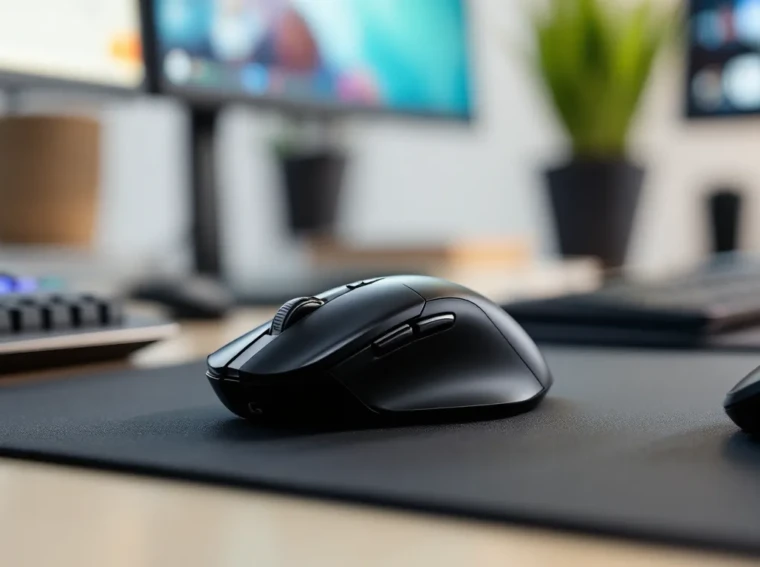
The Logitech G Pro Wireless has been a fixture on tournament stages and pro player desks since its debut, and in 2026, it’s still punching above its weight. This isn’t a mouse that relies on flashy RGB zones or gimmicky features, it’s built for one thing: winning. Whether you’re tracking heads in Valorant, microing units in StarCraft II, or grinding ranked League of Legends, the G Pro Wireless delivers the kind of reliability that competitive players demand.
What keeps this mouse relevant years after launch? A combination of proven sensor tech, wireless performance that matches or beats wired competitors, and a shape that works for a ridiculously wide range of hand sizes and grip styles. It’s not perfect, nothing is, but it’s remained a top choice for a reason. Let’s break down exactly what makes the Logitech G Pro Wireless gaming mouse tick in 2026, and whether it’s still worth your cash.
Key Takeaways
- The Logitech G Pro Wireless gaming mouse remains a top competitive choice in 2026 thanks to its proven HERO 25K sensor, sub-1ms LIGHTSPEED wireless performance, and versatile ambidextrous design that works across all grip styles.
- With 50-million-click mechanical switches, solid build quality, and 50-65 hours of real-world battery life, the G Pro Wireless delivers the durability and reliability that esports professionals and ranked grinders depend on during high-stakes matches.
- The mouse’s ambidextrous form factor and onboard memory profiles make it essential for left-handed players and tournament setups where you can’t rely on software installation or admin permissions.
- At its current $100-110 sale price, the Logitech G Pro Wireless offers strong value for competitive gamers, though those prioritizing ultralight performance or USB-C charging may prefer the 63g G Pro X Superlight instead.
- While the micro-USB port and 80-gram weight lag behind newer competitors, the G Pro Wireless’s tournament pedigree and consistent tracking across all DPI ranges make it a proven investment for precision gaming.
What Makes the Logitech G Pro Wireless Stand Out?
Design and Build Quality
Logitech didn’t mess around with the G Pro Wireless’s construction. The shell is a matte-finish plastic that feels solid without being brittle, and there’s zero flex in the main buttons, something budget mice still struggle with. The side panels are removable, which ties into the ambidextrous design, and the magnets holding them in place are strong enough that you won’t accidentally pop them off mid-game.
The main mouse buttons use mechanical switches rated for 50 million clicks. In practice, that means they’ll outlast most players’ upgrade cycles. The feedback is crisp without being loud, and there’s minimal pre-travel. If you’re coming from a mouse with mushy buttons, the difference is immediately noticeable.
Ambidextrous Form Factor
The G Pro Wireless uses a symmetrical shape that caters to both right- and left-handed players. Out of the box, it ships with side buttons on both the left and right flanks, but you can remove the pair you don’t use and replace them with blanking plates. This keeps the profile clean and prevents accidental clicks.
The shape itself is safe, some might say generic, but that’s actually a strength. It doesn’t force you into one grip style. Claw, palm, and fingertip grippers can all find a comfortable position, though hand size does matter here (more on that in the ergonomics section).
Weight and Balance
At roughly 80 grams, the G Pro Wireless was considered lightweight when it launched, though ultralight mice have since pushed that envelope further. Still, 80g is light enough for fast flicks and micro-corrections without feeling insubstantial. The weight distribution is centered, which means there’s no awkward bias toward the front or rear.
For players who value control and stopping power over sheer speed, this weight sits in a sweet spot. It’s not a featherweight hyperglide experience, but it’s far from the brick-like gaming mice of the early 2010s.
Performance and Sensor Technology
HERO 25K Sensor Breakdown
The HERO 25K sensor is Logitech’s flagship optical sensor, and it’s one of the reasons the G Pro Wireless still competes in 2026. It offers a maximum DPI of 25,600, though most competitive players run between 400 and 3,200 DPI depending on the game and their sensitivity preferences.
What matters more than the max DPI is tracking consistency. The HERO 25K has no smoothing, acceleration, or filtering at any DPI step, which means your hand movement translates 1:1 to cursor movement. Independent testing has shown it handles speeds exceeding 400 IPS (inches per second) without spin-outs or jitter, more than enough headroom for even the fastest flicks.
Wireless Connectivity and Latency
Logitech’s LIGHTSPEED wireless tech uses a 2.4GHz connection with a 1ms report rate, matching the performance of wired mice. In blind tests, pro players can’t reliably distinguish between the G Pro Wireless and a wired alternative in terms of input lag.
The USB receiver is compact and can be stored inside the mouse when traveling. For tournament setups or crowded USB hubs, Logitech also sells a USB extender dongle that positions the receiver closer to the mouse, though it’s rarely necessary unless you’re dealing with heavy wireless interference.
Tracking Accuracy and DPI Range
DPI adjustments are handled in 50 DPI increments via Logitech’s G HUB software, and you can assign up to five DPI levels to cycle through with a dedicated button (located just behind the scroll wheel). Most players set two or three levels and ignore the rest.
Surface calibration is automatic, but you can manually tune it in G HUB if you’re using an unusual mousepad material. The sensor performs flawlessly on cloth, hard plastic, and hybrid pads. Only glossy or reflective surfaces cause tracking hiccups, which is standard for optical sensors.
Battery Life and Charging
Logitech claims up to 60 hours of continuous use on a full charge with default RGB off. In real-world testing, that estimate holds up, most players get between 50 and 65 hours depending on DPI settings and polling rate. If you enable the (admittedly minimal) RGB lighting on the logo, expect that to drop to around 48 hours.
Charging is handled via a micro-USB port on the front edge of the mouse. Yes, micro-USB, not USB-C. In 2026, that feels dated, but it’s not a dealbreaker. A full charge takes roughly 2.5 hours, and a 5-minute quick charge nets you about 2.5 hours of playtime, which is clutch if you forget to plug in overnight.
Logitech also supports their POWERPLAY wireless charging mousepad system, which keeps the G Pro Wireless topped off during use. It’s an expensive add-on, but for players who never want to think about battery life, it’s worth considering.
Battery indicators are minimal, there’s an LED on the underside that glows red when charge drops below 15%, and G HUB displays precise battery percentage. No surprises mid-match.
Software and Customization Options
G HUB Software Features
Logitech’s G HUB software is the control center for all customization. The interface is clean and responsive, though it occasionally has sync issues on Windows 11 builds (usually fixed with a reinstall). You can adjust DPI steps, polling rate (125Hz, 250Hz, 500Hz, or 1000Hz), RGB lighting (if you care), and surface tuning.
G HUB also tracks usage stats, total clicks, distance traveled, and session time, which is neat if you’re into that sort of thing, but most competitive players ignore it.
Button Programming and Macros
All eight buttons (left, right, two side buttons, two DPI buttons, scroll wheel click, and scroll wheel tilt if enabled) can be remapped. You can assign keyboard keys, media controls, G-key macros, or disable buttons entirely.
Macro support is robust, you can record keystroke sequences with custom delays, though most esports titles prohibit macros in competitive play. For MMOs or productivity tasks, it’s a useful feature. The macro editor supports conditional logic and multi-key binds, which puts it ahead of some competitors.
Onboard Memory Profiles
The G Pro Wireless supports up to five onboard profiles stored directly in the mouse’s memory. This means your settings travel with you, crucial for LAN events or using multiple PCs. Switching between profiles requires G HUB unless you assign a profile-swap button, which most players don’t bother with.
Each profile stores DPI settings, button assignments, polling rate, and RGB config. No cloud sync, so if you wipe your G HUB install, you’ll need to back up profiles manually.
Real-World Gaming Performance
FPS Gaming Experience
In fast-paced shooters like Valorant, Counter-Strike 2, and Apex Legends, the G Pro Wireless excels. The low click latency and consistent sensor tracking make it easy to lock onto heads and track moving targets. The 80g weight provides enough resistance that micro-adjustments don’t overshoot, which is critical for one-tapping at range.
Many players who’ve tried building a pro gaming setup gravitate toward the G Pro Wireless for its proven reliability. The ambidextrous shape doesn’t fatigue your hand during long ranked grinds, and the wireless freedom means no cable drag when flicking to corners.
Polling rate at 1000Hz is standard, and there’s no noticeable input lag even in high-refresh 360Hz monitor setups. If you’re sensitive to latency, this mouse won’t be the bottleneck.
MOBA and Strategy Games
For MOBAs like League of Legends and Dota 2, the G Pro Wireless handles rapid clicking and precise cursor placement without breaking a sweat. The HERO 25K sensor doesn’t skip pixels during fast camera pans, and the side buttons are positioned well for item actives or ability binds.
In RTS titles like StarCraft II or Age of Empires IV, the switch durability is a real asset. If you’re averaging 300+ APM, cheaper mice start developing double-click issues within months. The G Pro Wireless’s 50-million-click switches hold up significantly longer, according to independent hardware reviewers at Tom’s Hardware.
Esports and Competitive Play
The G Pro Wireless has been used by top-tier pros across multiple esports titles, and that’s not just marketing. Players in VALORANT Champions Tour, League of Legends Worlds, and CS2 Majors have trusted it on stage. That level of adoption speaks to its consistency under pressure.
When milliseconds matter, knowing your gear won’t ghost inputs or spin out mid-clutch is invaluable. The onboard memory means you can bring your exact settings to any tournament PC without relying on software installs or admin permissions.
Grip Styles and Ergonomics
The G Pro Wireless’s symmetrical shape adapts to palm, claw, and fingertip grips, but results vary by hand size.
Palm grip: Works best for small to medium hands (roughly 17–19cm length). Larger hands will find the hump too shallow for full palm contact, leading to an awkward hybrid grip.
Claw grip: This is where the G Pro Wireless shines. The moderate hump and slightly flared sides provide stable anchor points for your palm and fingertips. Medium to large hands (18–20cm) get the best experience here.
Fingertip grip: Small to medium hands can comfortably fingertip this mouse, but larger hands might find it cramped. The 125mm length doesn’t leave much room for fingertip leverage if your hand exceeds 19cm.
The side buttons are positioned slightly forward, which works great for claw and fingertip but can require a stretch for pure palm grippers. They’re tactile without being mushy, and accidental clicks are rare once you adjust.
One common complaint: the scroll wheel is light and somewhat loose. It’s precise for weapon switching or item cycling, but if you prefer heavy, notchy scrolling, this won’t satisfy you.
Pros and Cons of the G Pro Wireless
Strengths
- Proven sensor performance: The HERO 25K tracks flawlessly across all DPI ranges with zero acceleration or smoothing.
- True wireless parity: LIGHTSPEED tech delivers 1ms latency that matches wired mice in blind testing.
- Ambidextrous versatility: Works for lefties and righties, with removable side buttons for a clean profile.
- Excellent battery life: 50–60 hours of real-world use, with fast-charge support.
- Durable build: 50-million-click switches and solid shell construction outlast budget competitors.
- Onboard memory: Five profiles stored in the mouse, critical for LAN events and multi-PC setups.
- Esports pedigree: Trusted by pros across FPS, MOBA, and RTS titles.
Weaknesses
- Micro-USB charging: Feels outdated in 2026 when USB-C is standard on newer peripherals.
- Weight: At 80g, it’s heavier than ultralight competitors like the G Pro X Superlight (63g) or Finalmouse offerings.
- Generic shape: The safe, symmetrical design won’t wow ergonomics enthusiasts or those who prefer sculpted, hand-specific shapes.
- Loose scroll wheel: Lacks the satisfying tactile feedback of premium scroll encoders.
- Price: Still commands a premium cost even though being several years old, especially when newer alternatives exist.
- Hand size limitations: Large-handed palm grippers may find it too small: very small hands might struggle with button reach.
How the G Pro Wireless Compares to Competitors
G Pro Wireless vs. Razer Viper Ultimate
The Razer Viper Ultimate is the G Pro Wireless’s closest rival. Both use top-tier optical sensors (HERO 25K vs. Focus+ 20K), both offer sub-1ms wireless, and both weigh around 74–80g.
Key differences:
- Shape: The Viper Ultimate is flatter and wider, favoring claw and fingertip grips. The G Pro Wireless has a more pronounced hump that suits palm grippers better.
- Switches: Razer uses optical switches that eliminate debounce delay, but some players find them too light and prone to accidental clicks. Logitech’s mechanical switches have more tactile feedback.
- Charging: The Viper Ultimate includes a charging dock in the box: the G Pro Wireless uses a cable (or optional POWERPLAY pad).
- Software: Razer Synapse vs. G HUB is mostly personal preference, though Synapse has more bloat.
For pure speed and low weight, the Viper Ultimate edges ahead. For versatility and proven durability, the G Pro Wireless holds its ground. Competitive settings data from ProSettings shows both mice are equally popular among top-tier players, often split by personal shape preference.
G Pro Wireless vs. Logitech G Pro X Superlight
The G Pro X Superlight is essentially Logitech’s answer to the ultralight trend, a stripped-down, 63g version of the G Pro Wireless.
What the Superlight improves:
- Weight: 63g vs. 80g is a massive difference. For players chasing speed and low fatigue, the Superlight wins outright.
- Updated materials: Slightly refined shell coating for better grip.
- USB-C charging: Finally.
What the Superlight loses:
- RGB lighting: Completely removed (not a big deal for most).
- Right-side buttons: No ambidextrous config, it’s right-hand-only.
- Price: Often $20–30 more expensive than the G Pro Wireless on sale.
Sensor, battery life, and wireless tech are identical between the two. If you don’t need ambidextrous support and want the lightest possible weight, the Superlight is the clear upgrade. If you’re left-handed or prefer a bit more heft, the original G Pro Wireless still makes sense.
When optimizing peripheral choices alongside components like the MSI Z790 Gaming Pro motherboard, the G Pro Wireless remains a top pick for its cross-platform compatibility.
Is the Logitech G Pro Wireless Worth It in 2026?
The G Pro Wireless is no longer the cutting-edge flagship it was at launch, but it’s aged gracefully. In 2026, it’s still a top-tier choice for competitive gamers who prioritize proven reliability, wireless performance, and ambidextrous design over bleeding-edge weight reduction or the latest port standards.
If you’re shopping on a budget, it’s worth checking for sales, the G Pro Wireless often dips below MSRP now that the Superlight exists. At $100–110, it’s a strong value. At full $130+ retail, you’re paying a premium for a shape and feature set that newer mice sometimes match or exceed.
For esports players and grinders who need a mouse that won’t let them down in high-stakes matches, the G Pro Wireless’s tournament pedigree and onboard memory are hard to beat. According to PCMag reviews from late 2025, it remains one of the most recommended wireless gaming mice even though newer competition.
For left-handed players, this is still one of the best true ambidextrous wireless options available. Most competitors have shifted to right-hand-only designs, making the G Pro Wireless almost essential if you need southpaw support.
If you’re chasing the absolute lightest weight or want USB-C charging, the G Pro X Superlight or competitors like the Razer Viper Ultimate are better fits. But if you value a proven track record and a shape that works across multiple grip styles, the Logitech G Pro gaming mouse is still worth every penny in 2026.
Conclusion
The Logitech G Pro Wireless has earned its place in gaming history, and it’s not fading into obscurity anytime soon. It’s not the flashiest mouse on the market, and it’s not the lightest, but it’s one of the most dependable. The HERO 25K sensor, LIGHTSPEED wireless, and ambidextrous design create a package that works for a huge range of players, from casual ranked grinders to world-championship competitors.
Yes, there are newer mice with lower weight and USB-C. Yes, the scroll wheel could be better. But when you’re deep in a ranked session or competing on stage, those minor nitpicks fade into the background. What matters is consistency, and the G Pro Wireless delivers that in spades. If you’re building a setup that demands precision and reliability, this mouse has proven, over years and across countless tournaments, that it belongs in the conversation.