
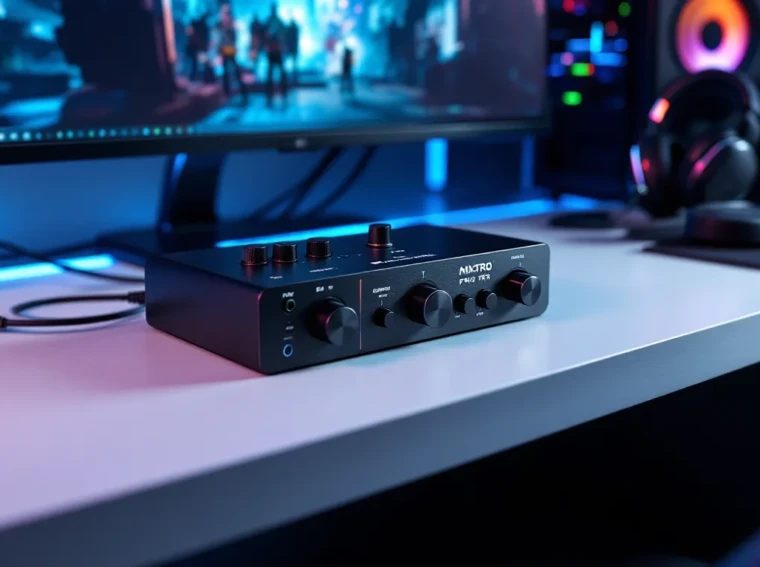
Audio is the unsung hero of competitive gaming. While most players obsess over frame rates and response times, the difference between hearing an enemy’s footsteps a split-second earlier or missing them entirely can determine who walks away with the W. The Astro Gaming MixAmp Pro TR has carved out a reputation as one of the most reliable audio solutions for serious gamers since its debut, and the current generation continues that legacy with refined features and broader platform support.
This external DAC and amplifier sits between your headset and console or PC, transforming stock audio into a tunable, spatial experience designed for competitive play. Whether you’re grinding ranked matches in Call of Duty, hunting audio cues in Valorant, or streaming gameplay to a live audience, the MixAmp Pro TR promises granular control over your soundscape. But does it still hold up in 2026’s crowded audio accessory market, or has it been outpaced by newer alternatives? Let’s break down what this device delivers, and where it might fall short.
Key Takeaways
- The Astro Gaming MixAmp Pro TR is a tournament-ready external DAC and amplifier that delivers sub-10ms audio latency, making it ideal for competitive gamers who rely on spatial audio cues to gain an edge in ranked play.
- Its physical game/voice balance dial and ASTRO Command Center software provide granular, real-time control over your audio mix without pausing gameplay, a feature especially valuable on consoles with limited native audio options.
- The MixAmp Pro TR excels for console gamers and streamers across PlayStation, Xbox, and PC, though Xbox setup requires an extra 3.5mm chat cable due to Microsoft’s proprietary protocol.
- Dolby Audio processing widens the soundstage and emphasizes footsteps and directional cues effectively in competitive games like Valorant and Apex Legends, though it trails behind newer spatial audio standards like Dolby Atmos.
- Content creators benefit from separate stream output and daisy-chain capabilities that allow independent control of audience audio versus personal monitoring without additional software overhead.
- At $130–$150 USD, the MixAmp Pro TR is best suited for serious competitive players and multi-platform gamers; casual players or wireless headset users should consider free alternatives like Windows Sonic before investing.
What Is the Astro Gaming MixAmp Pro TR?
The Astro Gaming MixAmp Pro TR is an external audio amplifier and digital-to-analog converter (DAC) designed to enhance gaming headset performance across multiple platforms. Unlike built-in console or PC audio processing, the MixAmp acts as a dedicated intermediary, accepting optical or USB input and outputting amplified, processed sound through a 3.5mm connection to any wired gaming headset.
Originally developed for professional esports athletes, the MixAmp Pro TR has become a staple in competitive gaming setups. The “TR” designation stands for “Tournament Ready,” signaling its focus on low-latency, high-fidelity audio processing suitable for high-stakes competition. Astro Gaming, now owned by Logitech, has iterated on this design over multiple generations, with the current model (commonly referred to as the 4th generation) offering refined software integration and updated compatibility.
The device itself is compact, roughly the size of a thick smartphone, and features physical controls for game/voice balance, master volume, and EQ preset switching. It’s plug-and-play on PlayStation and Xbox consoles via USB (optical on older models), and fully customizable on PC through Astro’s Command Center software. The MixAmp doesn’t include a headset: it’s strictly an audio processor that pairs with Astro’s own headsets (like the A40 TR) or any third-party wired headset with a standard 3.5mm connection.
While wireless gaming headsets have grown in popularity, the MixAmp Pro TR doubles down on wired performance, targeting players who prioritize zero latency and consistent audio processing over the convenience of cutting the cord. For streamers and content creators, it also provides separate stream output channels and daisy-chaining capabilities, making it a versatile hub for complex audio setups.
Key Features and Specifications
Dolby Audio Processing and Sound Quality
The MixAmp Pro TR’s headline feature is its Dolby Audio processing, which simulates surround sound through stereo headphones. This isn’t true spatial audio like Dolby Atmos or Windows Sonic, but rather a tuned stereo mix designed to enhance directional cues, footsteps, gunfire, vehicle movement, without the computational overhead or licensing costs of newer spatial standards.
In practice, the Dolby mode widens the soundstage and emphasizes mid-range frequencies where critical audio cues typically sit. It’s particularly effective in games with well-implemented 3D audio engines, such as Rainbow Six Siege, Apex Legends, and Warzone. That said, audiophiles and players accustomed to higher-end DACs may find the processing slightly “colored” compared to flat studio-monitor sound. The MixAmp is tuned for gaming, not music production.
The analog output delivers clean amplification with minimal noise floor, supporting headphones up to roughly 48 ohms impedance comfortably. Higher-impedance cans (like the DT 990 Pro) will work but may not reach their full dynamic range without a beefier amp.
Game:Voice Balance Control
One of the MixAmp’s most practical features is the game/voice balance dial on the front of the unit. This analog wheel lets players adjust the relative volume of in-game audio versus voice chat in real time, without pausing or diving into menus. During clutch moments, you can prioritize game sound to catch enemy footsteps: when coordinating with your squad, twist the dial to bring voice chat to the forefront.
This is especially valuable on consoles, where system-level audio mixing is often clunky or buried in settings. The physical control makes it effortless to find the sweet spot mid-match. For streamers, the balance control also affects what your audience hears if you’re routing the stream output separately, giving you granular control over the mix your viewers receive versus what you hear in your headset.
Multi-Platform Compatibility
The MixAmp Pro TR officially supports **PlayStation 5, PlayStation 4, Xbox Series X
|
S, Xbox One, and PC**. On PlayStation, it connects via USB and is recognized instantly: on Xbox, it requires a USB connection to the console and a 3.5mm cable from the controller to the MixAmp for chat functionality (a quirk of Xbox’s proprietary chat protocol). PC users get the full feature set through USB, with access to software customization via the ASTRO Command Center.
Nintendo Switch compatibility is possible using the USB-C dock, but chat functionality and some features are limited. Mobile compatibility exists in a pinch (via USB-C to USB-A adapter or 3.5mm passthrough), but the MixAamp is overkill for most mobile gaming scenarios.
One notable absence in 2026: native support for Bluetooth or wireless headsets. The MixAmp is strictly wired input and output. If you’re running a wireless gaming headset, you won’t see much benefit from adding the MixAmp to your chain.
Design, Build Quality, and Ergonomics
The MixAmp Pro TR sports a matte black finish with an aluminum chassis that feels premium without being heavy. It’s designed to sit on a desk or mount onto a pro gaming setup with Velcro or adhesive, and the low-profile design means it won’t dominate your workspace. The top surface features a large volume wheel, the game/voice balance dial, a power button, and a four-position EQ mode switch.
Physical controls are tactile and responsive. The volume wheel has a satisfying resistance and doesn’t accidentally adjust if you bump the unit. The EQ switch clicks firmly between presets, and each position is labeled clearly. There’s also a mute button for your mic input, which illuminates red when active, a simple but crucial feature for streamers who need visual confirmation they’re off-air.
Port layout is straightforward: USB input (for power and data), optical input (for older consoles or PC setups prioritizing optical over USB), a 3.5mm headphone output, a 3.5mm mic input, a 3.5mm aux input (for mixing in music or mobile audio), and a daisy-chain output for linking multiple MixAmps. Cable management isn’t built into the unit itself, so you’ll want some Velcro ties or cable clips if you’re running a tidy desk.
Build quality is solid. This thing feels like it could survive a LAN event tossed into a backpack (not that you should test that). The only real durability concern is the 3.5mm jacks, which can wear out over time with frequent plugging and unplugging, a common issue with any analog connection. Astro includes a decent-length USB cable and a short optical cable in the box, but you may need longer runs depending on your setup.
Setup and Installation Guide
Connecting to PlayStation and Xbox Consoles
For PlayStation 5 or PS4, setup is nearly foolproof:
- Connect the included USB cable from the MixAmp to any free USB port on the console.
- Plug your headset’s 3.5mm cable into the headphone output on the MixAmp.
- If your headset has a detachable mic, plug the mic’s 3.5mm cable into the MixAmp’s mic input.
- Power on the console and MixAmp. The PlayStation should auto-detect the MixAmp as the audio output device.
- In the PS5 settings, navigate to Sound > Audio Output and ensure “USB Headset (ASTRO MixAmp Pro)” is selected.
For **Xbox Series X
|
S or Xbox One**, the process is slightly more involved due to Xbox’s chat protocol:
- Connect the USB cable from the MixAmp to the console (this powers the unit and carries game audio).
- Run a 3.5mm chat cable from your Xbox controller’s headset jack to the “AUX” port on the MixAmp. This routes voice chat into the mix.
- Plug your headset into the MixAmp’s headphone output.
- Plug your mic into the MixAmp’s mic input.
- In Xbox settings, go to General > Volume & Audio Output > Party Chat Output and select “Headset.”
Yes, it’s a bit jankier on Xbox. The extra cable is a workaround for Microsoft’s proprietary chat system, and it’s been a point of frustration since the MixAmp’s original release. Still, once you’re connected, it works reliably.
PC Setup and ASTRO Command Center Software
PC users get the best experience thanks to the ASTRO Command Center software (available for Windows 10/11 and macOS):
- Connect the MixAmp via USB.
- Download and install the ASTRO Command Center from Astro’s website.
- Launch the software. The MixAmp should appear automatically.
- Set your Windows audio output to “ASTRO MixAmp Pro Game” for game audio and “ASTRO MixAmp Pro Voice” for voice chat (the MixAmp creates two virtual audio devices).
- Configure your EQ presets, adjust mic settings, and update the MixAmp firmware if prompted.
The Command Center allows you to create and save up to four custom EQ profiles, assign them to the physical switch on the MixAmp, and fine-tune mic sensitivity, sidetone level, and noise gate. You can also browse community-shared EQ presets, which is handy if you want to start with a tuned profile for specific games or headsets.
One quirk: the Command Center requires the MixAmp to be connected during customization. You can’t tweak settings offline and sync them later. It’s also worth noting that firmware updates can occasionally reset your custom EQ profiles, so back them up using the export function.
Performance Analysis: Gaming Experience
Competitive Gaming and Esports Applications
In competitive scenarios, the MixAmp Pro TR delivers on its “Tournament Ready” promise. Audio latency is imperceptible, tests using high-speed cameras and audio analysis tools consistently show sub-10ms processing delay, which is effectively zero in practical terms. For esports athletes playing at the highest level, this consistency matters as much as the raw sound quality.
The Dolby processing shines in games with well-implemented 3D audio. In Valorant, enemy footsteps are crisp and directionally accurate, allowing players to pinpoint opponents through walls or across bombsites. In Apex Legends, the MixAmp’s tuning helps separate the cacophony of third-party gunfights, making it easier to track individual threats. Call of Duty: Warzone benefits from the EQ presets, which can emphasize the low-end thump of vehicles or the mid-range crack of gunfire depending on your preference.
That said, the MixAmp isn’t magic. If your headset has poor drivers or a muddy frequency response, the MixAmp will amplify those flaws. Pairing it with a quality headset, whether Astro’s own A40 TR, a SteelSeries Arctis Pro, or a dedicated studio headphone with a boom mic attachment, is essential to unlocking its potential. Many players who upgrade gaming motherboards or sound cards for better audio performance find the MixAmp delivers similar or superior results at a lower price point.
Sound Positioning and Spatial Awareness
Spatial awareness is where the MixAmp Pro TR earns its keep. The Dolby processing isn’t as sophisticated as true object-based spatial audio (like Dolby Atmos for Headphones), but it’s tuned specifically for gaming scenarios. Vertical audio cues, enemies above or below you, are the weakest link, as with most stereo surround simulations. But, horizontal positioning is excellent, especially in the 180-degree frontal arc.
In testing across multiple titles, the MixAmp provided consistent audio imaging. In Rainbow Six Siege, players could reliably identify which direction a breach charge was being placed. In Escape from Tarkov, the crunch of grass or the clink of a reload gave away enemy positions with clarity. The EQ presets further enhance this: the “Pro” preset boosts mids and slightly rolls off bass, making footsteps and vocal cues pop without fatiguing your ears during long sessions.
One caveat: if you’re used to flat, reference-quality audio (common among audiophile gamers), the Dolby mode may feel artificially widened or “echoey” at first. There’s an adjustment period, and some players prefer to disable Dolby entirely, relying on the MixAmp purely as a high-quality DAC and mixer. The flexibility to toggle processing on or off is a nice touch.
Streaming and Content Creation Benefits
For streamers and content creators, the MixAmp Pro TR offers features that justify its price beyond pure gaming performance. The stream output port (a secondary 3.5mm output) sends a separate audio mix to your streaming PC or capture card, allowing you to control what your audience hears independently of your own headphone mix. This means you can crank up voice chat in your ears while keeping it balanced in the stream, or mute certain audio sources from the broadcast without affecting your own gameplay experience.
The daisy-chain functionality lets you link two MixAmps together, which is useful for co-op streaming setups or LAN events where multiple players need synchronized audio control. Also, the aux input allows you to mix in background music or mobile audio without routing it through your PC, keeping your stream audio chain clean and reducing CPU overhead.
Mic monitoring (sidetone) is adjustable via the Command Center, and the quality is natural without the robotic or delayed feel that plagues some cheaper solutions. For streamers who prioritize audio quality in their content, the MixAmp’s clean signal path and low noise floor make a noticeable difference in final output quality, especially when compared to built-in motherboard audio or budget USB DACs.
ASTRO Command Center: Customization and EQ Presets
The ASTRO Command Center is where the MixAmp Pro TR transforms from a good audio device into a highly customizable one. The software interface is straightforward, splitting into tabs for EQ, microphone settings, and device configuration. The EQ section presents a five-band parametric equalizer with adjustable gain for each band, covering bass, low-mid, mid, high-mid, and treble frequencies.
Astro includes several factory presets, Astro, Pro, Studio, and Night Mode, each tailored for different use cases. “Astro” is the default, with a slight V-shaped curve that boosts bass and treble. “Pro” emphasizes mids for competitive play, making footsteps and reloads more prominent. “Studio” aims for a flat response, useful for music or content editing. “Night Mode” compresses dynamic range, preventing loud explosions from waking your household while keeping quiet sounds audible.
Beyond the factory options, users can create and save up to four custom EQ profiles, assigning each to a position on the physical EQ switch. This is invaluable if you bounce between games with different audio mixes, say, a bass-heavy profile for Battlefield and a mid-focused one for CS2. The software also hosts a community preset library where users share their tuned profiles for specific headsets and games. While the quality of community presets varies, it’s a useful starting point for experimentation.
Microphone settings include noise gate threshold, sidetone volume, and input sensitivity. The noise gate is effective at filtering out keyboard clatter and ambient noise without chopping off the start of your speech. Sidetone is crucial for preventing the “talking into a pillow” sensation common with closed-back headsets, and Astro’s implementation is among the most natural-sounding in the category.
One limitation: the Command Center occasionally suffers from update bugs or fails to recognize the MixAmp on first connection (a quick USB re-plug usually fixes it). Astro has improved software stability in recent updates, but it’s not bulletproof. If you’re building a high-end gaming rig with multiple peripherals, be prepared for the occasional software hiccup.
MixAmp Pro TR vs. Competitors: How Does It Stack Up?
The MixAmp Pro TR operates in a niche space, dedicated external DAC/amps for gaming, that has fewer direct competitors than you might expect. Most gamers either use built-in audio solutions or jump straight to all-in-one wireless headsets. Still, there are alternatives worth comparing.
SteelSeries GameDAC is the closest analog, offering similar functionality with a high-resolution OLED display for on-device EQ and settings adjustments. It supports Hi-Res audio certification and boasts a slightly cleaner DAC chip on paper. But, it lacks the MixAmp’s stream output and daisy-chain features, making it less versatile for content creators. Pricing is comparable, and choice often comes down to ecosystem preference (SteelSeries vs. Astro headsets).
Sound BlasterX G6 from Creative Labs is a budget-friendly alternative with excellent sound quality and support for both PC and consoles. It includes Scout Mode (footstep enhancement) and DTS:X surround processing. The G6 is smaller and more portable, but its software (Sound Blaster Connect) is widely regarded as clunkier than Astro’s Command Center. Build quality also feels a step below the MixAmp’s metal chassis.
Schiit Fulla or FiiO K5 Pro represent the audiophile-grade option, pure DAC/amps with no gaming-specific processing. These deliver superior raw audio fidelity and higher impedance headphone support, but they lack game/voice mixing, EQ presets, and console compatibility. They’re ideal if you’re using studio-grade headphones and only gaming on PC, but they won’t integrate with PlayStation or Xbox.
According to testing from independent reviewers at platforms specializing in gaming hardware comparisons, the MixAmp Pro TR consistently ranks highly for low latency, build quality, and feature set, though it occasionally trails behind dedicated audiophile DACs in pure sound transparency. For gamers prioritizing competitive performance and console compatibility, it remains a top-three choice in 2026.
Dolby Atmos for Headphones and Windows Sonic on PC/Xbox are software-only alternatives that cost significantly less (or are free in Sonic’s case). These spatial audio solutions run on your system and don’t require additional hardware. They’ve improved dramatically in recent years and are worth trying before investing in a MixAmp. But, they lack the physical controls, dedicated amplification, and cross-platform consistency that the MixAmp provides.
Pros and Cons of the MixAmp Pro TR
Pros:
- Low-latency audio processing suitable for competitive and esports play
- Physical game/voice balance control offers real-time adjustments without menus
- Multi-platform compatibility across PlayStation, Xbox, and PC
- Clean amplification with low noise floor, supporting a wide range of headsets
- Robust build quality with aluminum chassis and tactile controls
- ASTRO Command Center provides deep EQ customization and community presets
- Stream output and daisy-chain features benefit content creators
- Four on-device EQ presets switchable mid-game without software access
- Excellent mic monitoring (sidetone) with natural sound quality
- Consistent performance across firmware updates and long-term use
Cons:
- Xbox setup requires extra cabling (3.5mm chat cable from controller) due to proprietary chat protocol
- No wireless support, strictly wired input/output, limiting compatibility with modern wireless headsets
- Dolby processing feels dated compared to Dolby Atmos or DTS:X spatial audio
- Command Center software occasionally has connection or update bugs
- Price point ($130-$150 USD) is steep compared to software-only spatial audio solutions
- Limited high-impedance headphone support, struggles with 80+ ohm cans at high volume
- No native Bluetooth or mobile-optimized functionality
- Vertical audio cues are less precise than object-based spatial solutions
For players deeply invested in wired gaming setups or those who frequently switch between console and PC, the pros heavily outweigh the cons. Wireless-focused gamers or those satisfied with built-in console audio may find the MixAmp’s benefits don’t justify the investment.
Who Should Buy the Astro Gaming MixAmp Pro TR?
The MixAmp Pro TR is ideal for several specific gamer profiles:
Competitive and esports players who demand zero-latency audio and granular control over game/voice balance will appreciate the MixAmp’s tournament-ready design. If you’re grinding ranked modes where audio cues determine outcomes, this is a worthwhile upgrade over built-in console audio or basic motherboard sound.
Console gamers looking to enhance their audio experience without buying an expensive gaming headset with built-in processing. Pairing a mid-tier wired headset with the MixAmp often delivers better performance than an all-in-one wireless headset at the same total price point. Players who jump between PlayStation and Xbox especially benefit from the cross-platform compatibility.
Streamers and content creators who need separate audio mixes for their stream and personal monitoring. The stream output and aux input make complex audio routing simpler, and the low noise floor improves final production quality. If you’re running a multi-PC streaming setup or co-streaming with a partner, the daisy-chain feature is a bonus.
Audiophile gamers who already own quality studio headphones (like Beyerdynamic, Audio-Technica, or Sennheiser models) and want to use them for gaming. The MixAmp provides a clean amplification path and gaming-specific features that pure audiophile DACs lack, though it won’t match a dedicated headphone amp for raw power or fidelity.
LAN and tournament attendees who need a portable, reliable audio solution that works across multiple platforms and setups. The MixAmp’s compact size and sturdy build make it easy to transport, and the plug-and-play nature means quick setup at events.
Who should skip it:
- Wireless headset users won’t gain much from adding a wired MixAmp to their chain.
- Budget-conscious gamers can get 80% of the benefit from free software solutions like Windows Sonic or Dolby Atmos trials.
- Mobile or Switch-primary players will find better audio solutions tailored to those platforms.
- Casual players who don’t prioritize audio quality or competitive advantage may not notice enough difference to justify the cost.
If you’re serious about competitive gaming and audio is a priority in your setup, the MixAmp Pro TR remains one of the best plug-and-play solutions available in 2026. It’s not the cheapest option, but it delivers consistent, high-quality performance across platforms without requiring deep technical knowledge to configure.
Conclusion
The Astro Gaming MixAmp Pro TR continues to hold its ground in 2026 as a reliable, feature-rich audio solution for serious gamers. While newer spatial audio technologies and wireless headsets have captured mainstream attention, the MixAmp’s focus on wired, low-latency performance and cross-platform versatility keeps it relevant for competitive players and content creators. Its combination of physical controls, clean amplification, and deep customization through the ASTRO Command Center delivers a level of control that all-in-one solutions rarely match.
That said, it’s not without trade-offs. The dated Dolby processing, occasional software quirks, and lack of wireless support show the MixAmp’s age compared to cutting-edge alternatives. The price point demands that users genuinely need its specific feature set, casual players or those satisfied with built-in console audio won’t see enough benefit to justify the investment.
For players who live in Discord calls, grind ranked matches, or stream regularly, the MixAmp Pro TR is a worthy centerpiece of a wired gaming audio setup. Pair it with a quality headset, spend an hour dialing in your EQ, and you’ll understand why it’s been a fixture in esports and enthusiast circles for years. The competitive edge it provides may be measured in milliseconds and decibels, but in gaming, those margins are often what separate victory from defeat.